Source to Process
How your C program gets run
How do you compile and run your C code?
So far, we’ve compiled and ran all our C code in basically just two steps:
Compile the code with GCC, e.g.,
gcc -o hello hello.c.Run the compiled executable binary from the command line, e.g.,
./hello.
Although it may seem like these two steps are all it takes to execute C code, in reality GCC and other tools are doing a lot of extra work to make this happen.
How C code becomes a process
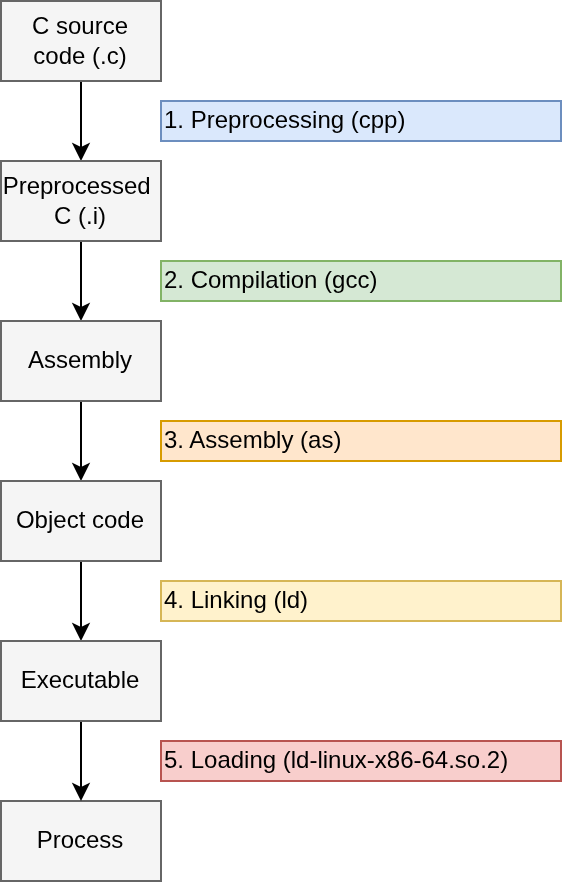
GCC stands for the GNU Compiler Collection, because it does more than just compilation, and actually performs the first four steps listed in this section.
In order to turn your C code into a running executable, your program must goes through 5 steps shown above:
Preprocessing: Handles preprocessor directives to include header files, expand macros, and more.
Compilation: Converts C code to assembly.
Assembly: Turns assembly code into object code.
Linking: Combines object files, resolving references to symbols such as functions names, to form a final executable binary (e.g., and ELF file).
Loading: Loads the program into memory, resolves references to shared libraries used by the program, and executes it.
Preprocessing
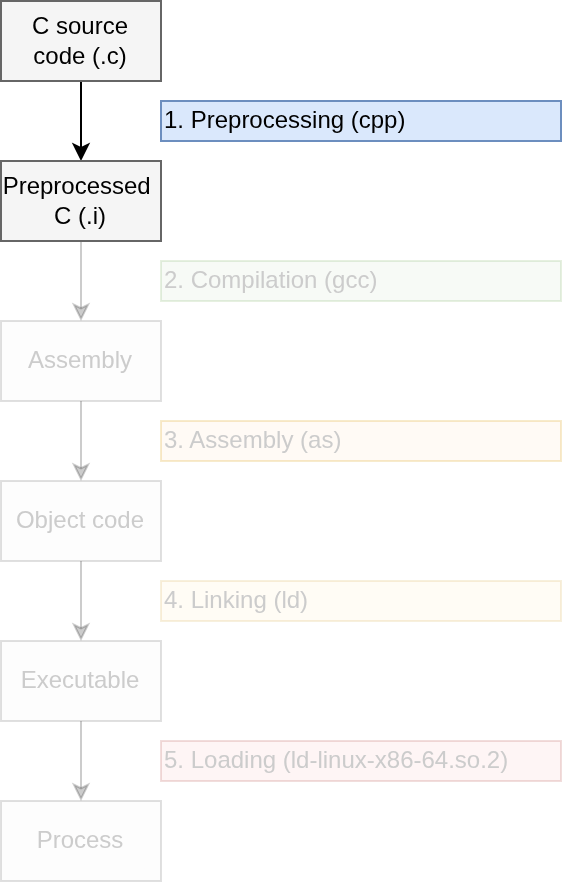
The first step to compiling C code is preprocessing,
in which a tool called a preprocessor modifies the text
of the input program by executing user-specified preprocessor
directives. You are likely familiar with one of these
directives already: file inclusion. For instance, consider the following
program hello.c, which #includes the header
file <stdio.h> for its declaration of the function
puts():
#include <stdio.h>

int main(void) {
  puts("Hello, world!\n");
}
It may seem like the above code is what we gets passed to GCC when we
invoke the compiler from the command line, but in reality, GCC first
preprocesses the code to expand the include directive
to the contents of the included file. To test this out, we can invoke
gcc with the -E flag to tell the compiler to
only perform preprocessing (or invoke the preprocessor directly with
cpp). We’ll also add the -P flag to tell the
preprocessor to omit line markers from its output, because these are
irrelevant to our discussion. Finally, we’ll use the -o flag to specify
the output file as hello.i, since .i is
conventional file name extension for preprocessed C code:
gcc -E -P hello.c -o hello.i
# or cpp -P hello.c -o hello.i
The output will be quite long, 307 lines of code on my machine! The
reason for this is because the preprocessor essentially replaces the
line #include <stdio.h> with the entire contents of
the stdio.h header file. This simple mechanism allows us to
create programs sharing function declarations across multiple files.
Another feature supported by the C preprocessor is macro
expansion. During macro expansion, named code fragments called
macros are replaced with their definitions. For
instance, the following C code defines the macro PI, and
invokes it in the function area() to compute the area of
the circle with a given radius r:
#define PI 3.14

float area(float r) {
  return PI * r * r;
}
After preprocessing, the definition of PI would be
erased, and the invocation of PI would be replaced with its
definition, 3.14, resulting in the following C code:
float area(float r) {
  return 3.14 * r * r;
}
This example only scratches the surface of what you can do with macros. If you’d like to learn more about the (sometimes quite cursed) things you can do with macros, and about other preprocessor directives not mentioned here, then check out the GNU C Preprocessor manual.
Compilation
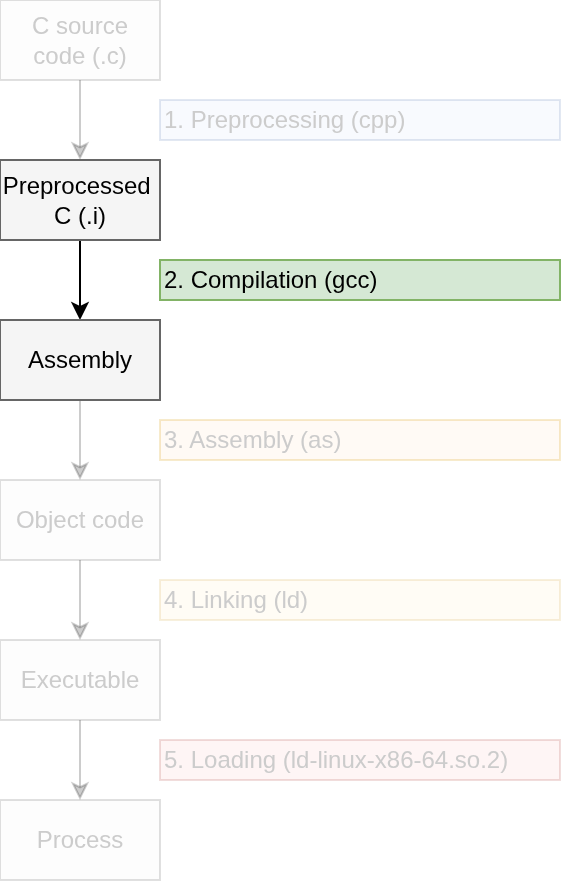
During compilation, the C compiler (e.g.,
gcc) converts preprocessed C code into assembly code. To
see how this works, let’s convert the hello.i file we made
in the last example to assembly with gcc. We’ll pass the
-S flag to gcc to tell the compiler to only
translate its input to assembly. We’ll also pass the -o
flag to specify the output file:
gcc -S hello.i -o hello.sHere’s the resulting assembly file, hello.s:
    .file   "hello.c"
    .text
    .section    .rodata
.LC0:
    .string "Hello, world!\n"
    .text
    .globl  main
    .type   main, @function
main:
.LFB0:
    .cfi_startproc
    endbr64
    pushq   %rbp
    .cfi_def_cfa_offset 16
    .cfi_offset 6, -16
    movq    %rsp, %rbp
    .cfi_def_cfa_register 6
    leaq    .LC0(%rip), %rax
    movq    %rax, %rdi
    call    puts@PLT
    movl    $0, %eax
    popq    %rbp
    .cfi_def_cfa 7, 8
    ret
    .cfi_endproc
.LFE0:
    .size   main, .-main
    .ident  "GCC: (Ubuntu 13.3.0-6ubuntu2~24.04.1) 13.3.0"
    .section    .note.GNU-stack,"",@progbits
    .section    .note.gnu.property,"a"
    .align 8
    .long   1f - 0f
    .long   4f - 1f
    .long   5
0:
    .string "GNU"
1:
    .align 8
    .long   0xc0000002
    .long   3f - 2f
2:
    .long   0x3
3:
    .align 8
4:
We won’t go into detail on what all this means yet, but hopefully you
can see that assembly is much less human-readable then C code. Instead
of nice structures like if statements and while loops, we only have
instructions (e.g., call, movl), operands
(e.g., puts@PLT, $0, $eax), and
labels (e.g, main). This lack of structure makes it harder
for humans to manage complexity in large assembly programs, which is in
part why higher-level structured languages like C were invented, to make
implementing large programs easier.
The above assembly code is specifically x86_64 assembly, represented using the AT&T dialect. The rest of the assembly examples in this course will x86_64 AT&T syntax assembly, and it will be the target for the compiler we will write.
Although assembly code is lower-level than C code, it still can’t be run by the CPU. To achieve this, we next need to move on to the next phase of the compilation process.
Scottish game designer Chris Sawyer wrote nearly all the code for the game Roller Coaster Tycoon in assembly to make the game extremely performant. That’s dedication!
Assembly
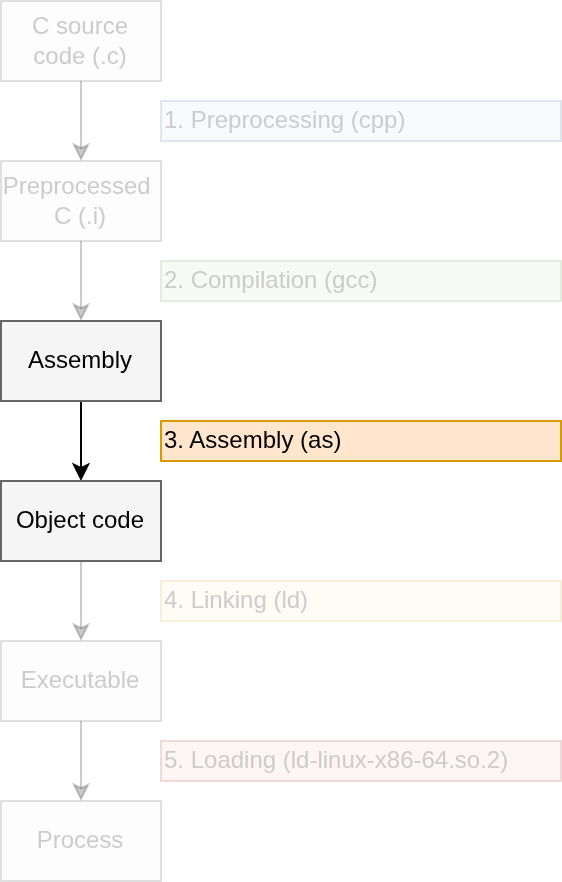
During assembly, a tool called the assembler
converts assembly code into object code. Object code is
binary machine code that is recognizable by the CPU, but not necessarily
runnable (we’ll discuss more about that in the next section). Let’s use
the GNU assembler, as, to convert our hello.s
file from the last section to an object file, hello.o:
as hello.s -o hello.oThe resulting hello.o file will consist almost entirely
of binary code that doesn’t correspond to English characters. Try
opening hello.o in a text editor like Vim and see for
yourself! Although you may see a few strings embedded in the binary,
such as the "Hello, World!\n" string itself, most of the
code will seem like gibberish.
To inspect the binary contents of hello.o, we’ll use
another utility called objdump. We’ll use the
-d flag to tell objdump to dissemble its
output, i.e., turn it back into assembly:
objdump -d hello.oIn the resulting output, notice that the file format is
elf64-x86-64. ELF stands for the executable and
linkable format, and is the standard file format for executables on
Unix machines. x86-64 specifies the target machine’s architecture. The
following example thus reveals that when code is compiled, it is
prepared to run on only a specific architecture:
hello.o:     file format elf64-x86-64

Disassembly of section .text:

0000000000000000 <main>:
 0: f3 0f 1e fa           endbr64
 4: 55                    push   %rbp
 5: 48 89 e5              mov    %rsp,%rbp
 8: 48 8d 05 00 00 00 00  lea    0x0(%rip),%rax # f <main+0xf>
 f: 48 89 c7              mov    %rax,%rdi
12: e8 00 00 00 00        call   17 <main+0x17>
17: b8 00 00 00 00        mov    $0x0,%eax
1c: 5d                    pop    %rbp
1d: c3                    ret
We can also pass the -t flag to objdump to
view the object file’s symbol table. This contains,
among other things, the names and definition locations of the functions
the object code references.
objdump -t hello.oIn the resulting symbol table, notice that the definition of
puts is listed as *UND*, or undefined. How can
this be?
hello.o:     file format elf64-x86-64

SYMBOL TABLE:
0000000000000000 l    df *ABS*   0000000000000000 hello.c
0000000000000000 l    d  .text   0000000000000000 .text
0000000000000000 l    d  .rodata 0000000000000000 .rodata
0000000000000000 g     F .text   000000000000001e main
0000000000000000         *UND*   0000000000000000 puts
The reason that the definition location of puts is
undefined is because our original C program, hello.c did in
fact not define it. In order for the resulting object file,
hello.o, to be able to call puts, we must
perform the final step of the compilation process: linking.
Linking
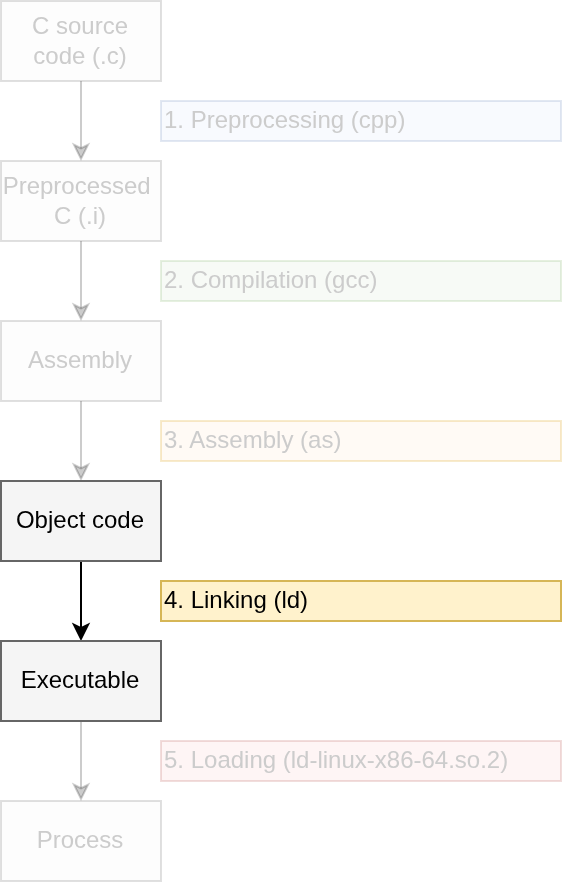
During linking, a tool called the
linker combines object files, resolving references
between them to form a final executable binary. In order to execute the
object file hello.o, which we made in the last section,
we’ll first need to link it with two libraries: the C runtime, which
contains startup code for initializing and calling the main function,
and the C standard library, which contains the definition of the
puts() function that hello.o calls. These two
libraries are normally linked with our C code automatically by GCC, but
we can manually do the linking ourself with the ld utility
(more on the --dynamic-linker argument further below):
ld  /usr/lib/x86_64-linux-gnu/crt1.o                \
    /usr/lib/x86_64-linux-gnu/libc.so               \
    hello.o                                         \
    --dynamic-linker /lib64/ld-linux-x86-64.so.2    \
    -o hello
The file /usr/lib/x86_64-linux-gnu/crt1.o contains the C
runtime, and the file /usr/lib/x86_64-linux-gnu/libc.so is
the C standard library. By default, these libraries will be
dynamically linked with hello.o. Dynamic
linking means that the definition of puts() (which,
reminder, comes from /usr/lib/x86_64-linux-gnu/libc.so),
will not be compiled into the resulting hello
executable file. Instead, the hello executable will contain
a reference to the file containing the definition of
puts(). Check it out with objdump:
objdump -t hello | grep putsIn the output, the location of puts() is still listed as
undefined, even though we just linked hello with the C
standard library file containing the definition of
puts():
0000000000000000 F *UND* 0000000000000000 puts@GLIBC_2.2.5With dynamic linking, the reference hello makes to
puts() will be resolved at the time hello is
first run, by another program called a dynamic linker.
We can specify the default dynamic linker for our program with the
--dynamic-linker argument to ld; in this case
/lib64/ld-linux-x86-64.so.2 specified above.
Loading
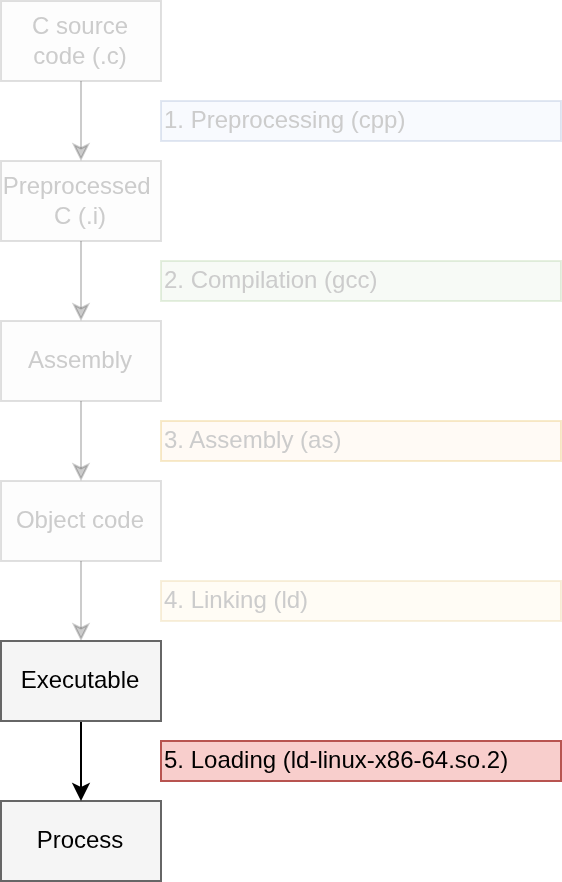
During loading, the loader loads
the program into memory, resolves references to any symbols in libraries
the loaded program is dynamically linked with, and then runs the
program. Usually, loading can be done by just running the program
directly; for instance, we can load our hello binary we
made in the last step by just running it like so:
./helloThe Linux kernel’s loader will load hello into memory,
then run the dynamic linker that we specified for hello
during linking, /lib64/ld-linux-x86-64.so.2. We can verify
that this dynamic linker has been set as the default for
hello by using the ldd utility to view the
shared objects hello depends on:
ldd helloThe last line of the output shows that hello depends on
the dynamic linker /lib64/ld-linux-x86-64.so.2 (other lines
omitted for concision):
/lib64/ld-linux-x86-64.so.2 (0x00007b419e6a8000)We can also invoke the loader directly; in this case, the Linux
kernel’s internal loader will first load
/lib64/ld-linux-x86-64.so.2 into memory, and then run it to
resolve references hello makes to the C standard library
(put()), and then run hello.
/lib64/ld-linux-x86-64.so.2 ./hello/lib64/ld-linux-x86-64.so.2 will load hello
into memory, resolve any references hello has to any
symbols in shared libraries (puts()), and then run it. See
man ld.so(8) for more details on how the dynamic linker
works.
Static linking
- Dynamic linking resolves references at run time.
- Static linking resolves references at link time.
- Creates a self-sufficient executable.
To see static linking in action, let’s repeat all the previous steps
to compile and run our hello program, this time replacing
the commands we used to perform dynamic linking with he appropriate
commands to perform static linking. As a refresher, here’s our
hello.c file:
#include <stdio.h>

int main(void) {
  puts("Hello, world!\n");
}
We’ll preprocess, compile, and assemble this file with the same commands we used earlier:
gcc -E hello.c -o hello.i
gcc -S hello.i -o hello.s
as hello.s -o hello.o
To statically link this program, we’ll invoke the ld
utility with the -static flag. Then we specify all the
necessary object (.o) and static library (AKA “archive”,
.a) files our C program will need to run:
ld                                                  \
    -static                                         \
    -o hello                                        \
    /usr/lib/x86_64-linux-gnu/crt1.o                \
    /usr/lib/x86_64-linux-gnu/crti.o                \
    /usr/lib/gcc/x86_64-linux-gnu/13/crtbeginT.o    \
    hello.o                                         \
    --start-group                                   \
    /usr/lib/gcc/x86_64-linux-gnu/13/libgcc.a       \
    /usr/lib/gcc/x86_64-linux-gnu/13/libgcc_eh.a    \
    /usr/lib/x86_64-linux-gnu/libc.a                \
    --end-group                                     \
    /usr/lib/gcc/x86_64-linux-gnu/13/crtend.o       \
    /usr/lib/x86_64-linux-gnu/crtn.o
That’s a lot of files and flags! Here’s a brief summary of what they are all for:
crt1.o: _start symbol and call to maincrti.o: initialization codecrtbeginT.o: finds the start of C++ constructors (T suffix for static version)hello.o: our object file--start-group: start a group of files for resolving circular referenceslibgcc.a: helper functions that all code compiled with GCC assumes it can calllibgcc_eh.a: C++ exception handlinglibc.a: static library implementation of the C standard library--end-group: end a group of files for resolving circular referencescrtend.o: finds the start of C++ destructorscrtn.o: cleanup code
We can verify that our statically-linked executable works by running it:
./helloAnd we can also check that the executable does in fact contain the
definition the puts() function with
objdump -t, combined with a call to grep to filter the
output:
objdump -t hello | grep '\<puts\>'The output shows that the binary’s .text section
contains the definition of puts(); verifying that this
executable does not need to be dynamically linked with the C standard
library to find the definition of puts() at runtime:
0000000000404d30 w F .text 0000000000000226 putsSeparate compilation
- Do you recall what separate compilation is?
- How do you think it relates to linking?
Separate compilation refers to the act of compiling multiple distinct source files to form a single executable.
Linking makes separate compilation possible by resolving references to functions defined and called across separate files.
To see this in action, let’s look at two files, main.c
and foo.c. main.c calls the function
foo(), which is defined in foo.c:
int main(void) {
  int x = foo();
  return 0;
}
int foo(void) { return 42; }We follow the steps we’ve seen in this lecture compile these two programs separately:
gcc -E f.c -o f.i
gcc -S f.i -o f.s
gcc -c f.s -o f.o
gcc -E main.c -o main.i
gcc -S main.i -o main.s
gcc -c main.s -o main.o
Notice that the command gcc -S main.i -o main.s raises a
warning about an implicit declaration of foo(). This is
because main.c does indeed lack a declaration of the
function foo(), with it being defined in foo.c
instead. We run objdump on main.o and
foo.o to verify this:
echo main.o:
objdump -t main.o | grep '\<foo\>'

echo foo.o:
objdump -t foo.o | grep '\<foo\>$'
This shows that foo() is in fact undefined in
main.o, and defined only in foo.o:
main.o:
0000000000000000         *UND*  0000000000000000 foo
foo.o:
0000000000000000 g     F .text  000000000000000f foo
To produce an executable binary, we can use gcc to link
these two files together, resolving main()’s reference to
foo():
gcc foo.o main.o -o mainApplication binary interface
- Acronym: ABI.
- Calling conventions.
- Stack direction.
- Registers.
- And more.
Summary
- There are five steps a C program takes to become a process.
- Programs can either be dynamically or statically linked.
- An ABI specifies rules for compiled assembly code.
References
- How programs get run: ELF binaries: https://lwn.net/Articles/631631/