Introduction
About me
Brent Pappas
- 6th year PhD student under Dr. Paul Gazzillo.
- Research on software engineering and security.
- Have taught this course before.
- I enjoy reading.
Goal of this course
Learn to use and develop systems software.
What is systems software?
The bridge between the kernel and user applications.
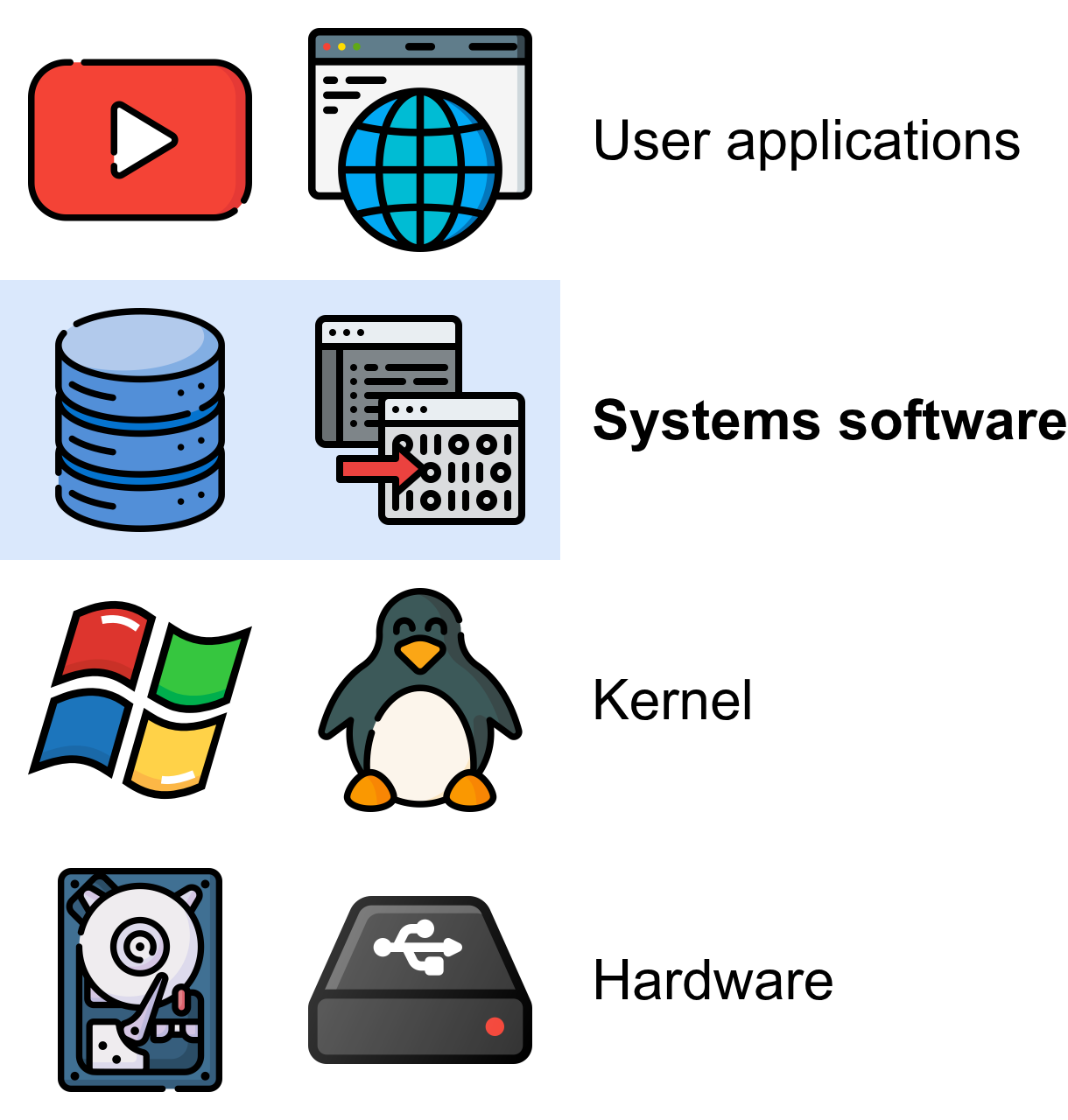
Examples of systems software
- Libraries:
stdio,malloc(), etc. - Programming toolchains: compilers (
gcc), linkers (ld), etc. - Programming environments: versioning (
git), building (make), etc.
Why study systems software?
Know your tools

All technical workers need to be expert at their tools. Pilots go to flight school, carpenters may even build their own tools.
When studying optics, Newton learned to create his own lenses. Here is an image from newton’s notebook on grinding lenses.
https://cudl.lib.cam.ac.uk/view/MS-ADD-04000/56
Be a better programmer
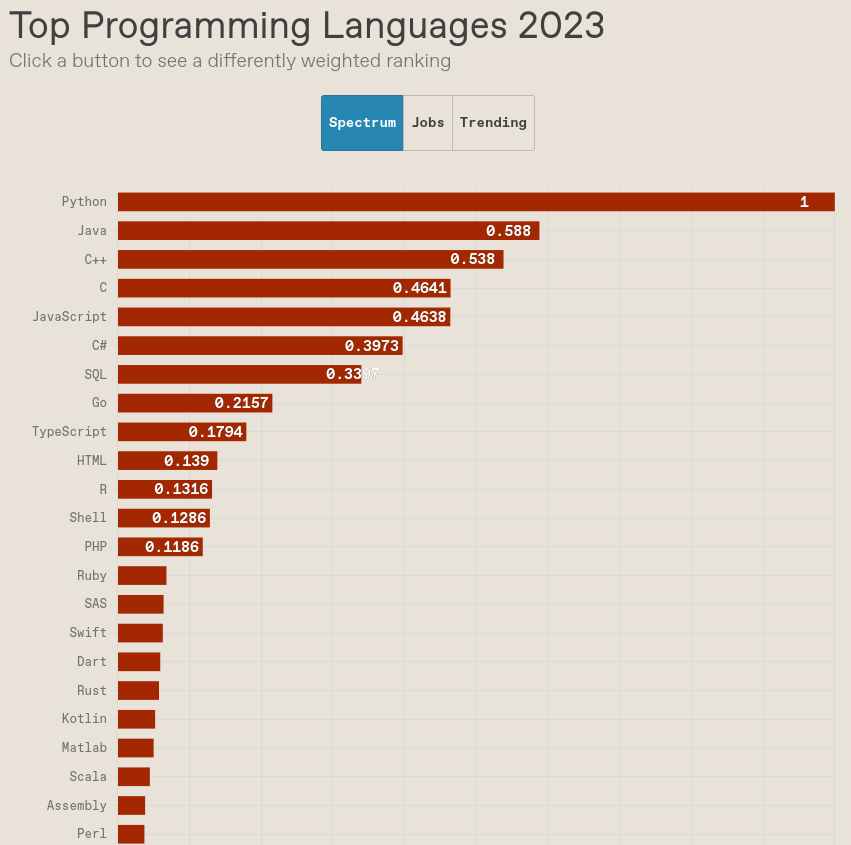
All languages have many things in common. Learning how they are implemented gives you insight into how other languages works.
https://spectrum.ieee.html/the-top-programming-languages-2023
Programming is like poetry

Fred Brooks is the author of the famous software engineering book, “The Mythical Man Month.” Published in 1975, much of Brooks’ insights in this book still ring true to this day.
“The programmer, like the poet, works only slightly removed from pure thought-stuff. He builds his castles in the air, from air, creating by exertion of the imagination.” — Fred Brooks
Some other quotes
“A poor workman blames his tools.”
— Proverb
“Tools are made for man, not man for tools.”
— Dr. Paul Gazzillo (?)
“Technology is made for man, not man for technology”
— Aldous Huxley 1961, Thomas Merton 1966
“Don’t use your [bare] hands, use a tool!”
— My dad
- Need to learn why the tools are useful to be effective
- Don’t just use a tool b/c you think it will magically make you do a better job
- Modify your tools! We’ll use open-source, configurable tools in this class
Course goals
- Learn to use systems software.
- Learn to develop systems software.
Course goal 1
Learn to use system software
Learn to use the command line

The command-line opens you up to the full power of the operating system.
You can download and run many more applications that lack a GUI.
You can perform powerful automation, for instance, in our lab we script experiments so that others can replicate for themselves our results.
The Linux kernel is over 20 million lines of code, has thousands of developers and maintainers and is used in billions of devices.
You can develop for it, including submitting patches, entirely on the command-line, and many do.
Among other things, allows you to build up sophisticated automation from simple tools. There are tons of tools, many of which are standard, that you have access to on a *nix system that make it so you don’t have to reinvent the wheel.
Examples:
- Terminal file browser:
ranger ~/Documents/teaching/cop3402/sum2026 - Terminal web browser:
lynx https://www.cs.ucf.edu/~pappas/teaching/cop3402/fal2026/introduction.html - Terminal coffee shop:
ssh terminal.shop
Learn to use version control
If you are doing software development, you will almost certainly be using version control.
Version control not only makes large-scale collaboration on a single codebase possible, but it helps you as an individual organize your code, debug, focus, and more.
Learn how the file system works
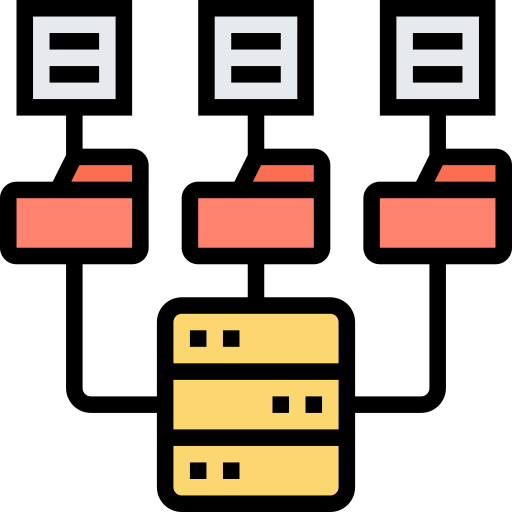
Find out where and what your files actually are.
Many students go through the CS curriculum without a basic understanding of hierarchical file systems.
Modern graphical OSes hide much of it for convenience. But nearly all devices have some sort of file system.
The hierarchical file system was designed by people (you can see an explanation in the reading for next time), so don’t take for granted everyone just knows how it works. You need to learn it.
Course goal 2
Learn to build systems software
File-handling

- Working with the file abstraction
- Manipulating the file system
- Reading/writing files
Process management
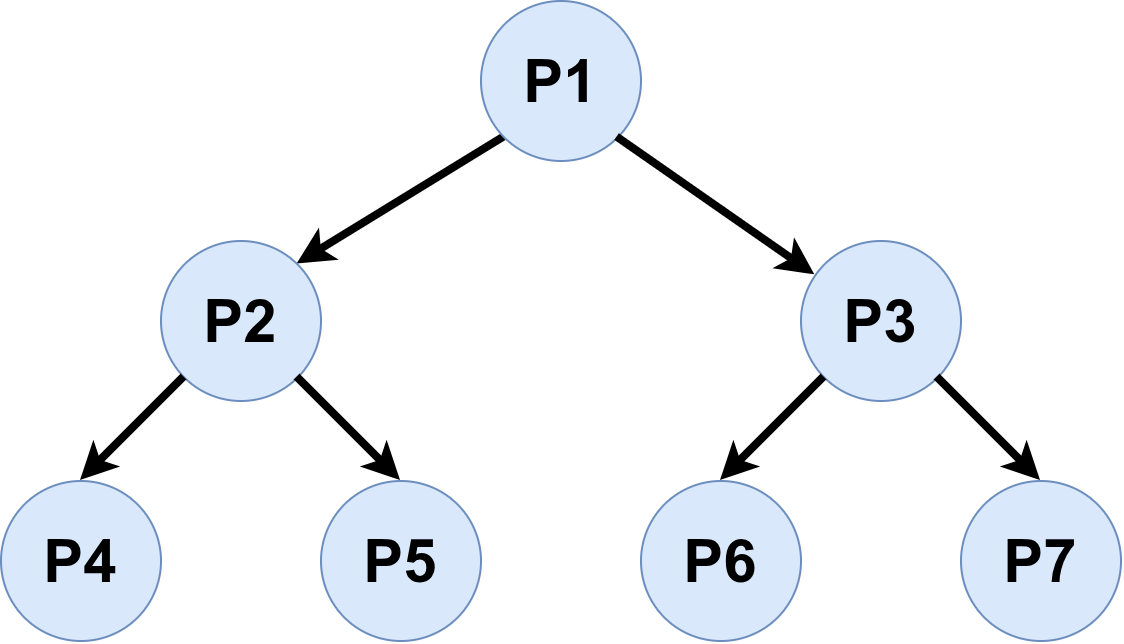
- Creating processes
- Executing programs
- Manipulating I/O
Compilers


- Working with language processors
- Generating machine code
- Interoperating with existing machine code standards
Ulterior educational motive
Make everyone a better programmer.
Learning systems software helps you understand how:
- Programming languages are implemented.
- The programming environment works.
- Programming theory makes programming easier.
The tortoise and the hare
The tortoise and the hare are both given a challenging programming project…
…you know how this goes, right?

The hare
The hare is fast and reckless.

- The hare starts coding immediately.
- After all, finishing the coding is done, so the faster we write code, the faster we finish.
- The hare finishes coding before the tortoise even starts.
- But now the real work begins….
- The hare runs a large test given by the professor.
- It breaks the program of course.
- The hare starts guessing and changing code that might be broken.
- But now another test is breaking.
- Fixing that bug breaks the first test.
- If the hare is lucky, all given tests work eventually.
- But the hare is surprised at a bad grade, because new tests written for grading also break.
The tortoise
The tortoise is slow and steady.

- The tortoise starts with comments, planning, and tests before even a single line of code gets written.
- The tortoise divides the problem down into simpler pieces.
- The tortoise writes some simple examples to illustrate the problem.
- The tortoise takes an easy piece of the problem and writes comments about what the code should do.
- Only then does the tortoise code, little by little, testing along the way.
- The tortoise makes sure simple things work properly before moving on.
- The tortoise doesn’t take for granted that the code just works.
- The tortoise knows debugging is really hard, especially when there are lots of bugs together.
- This is what the hare found out the hard way when new fixes broke old tests.
Morale of the story
Be the tortoise
The tortoise took way longer to get a line of code written. But when they got there, the code was much easier to write and write correctly.
While the hare felt like they were “coding” fast, the tortoise was calmly - writing tests - writing comments on what he was doing, and - writing a few lines of carefully-thought-through code at a time.
When the tortoise runs all the tests from the professor, they almost all work. For the ones that don’t, the tortoise just isolates the problem with a minimized test.
The tortoise’s code is well-commented, simple, and organized, so they have no issue finding and fixing problems in their code.
The tortoise obtains good grade, because even unseen tests are likely to work.
To be clear there are absolutely times to be the hare. Hacking a simple Bash script, getting something done fast, writing a small or inconsequential program. But to solve really hard problems, to write correct code, you need to be the tortoise.
Being the tortoise can also save lives; for instance, consider these cases where programming bug caused fatalities:
How to be the tortoise
- Know how your programming language works.
- Know your programming environment well.
- Break the problem down into pieces before coding.
- Make sure simple stuff works before moving on.
- Write your own tests, and save them
- Develop good debugging skills.
- Don’t “guess” about how something works.
- Develop fast workflows.
- Develop good debugging skills: minimize the test, identify the bug’s location, understand the reason for the bug before trying a fix (just like good coding practices in the first place!)
- Do not overwrite old test files!
We’ll have many opportunities to practice these principles during this class.
Avoid being too clever
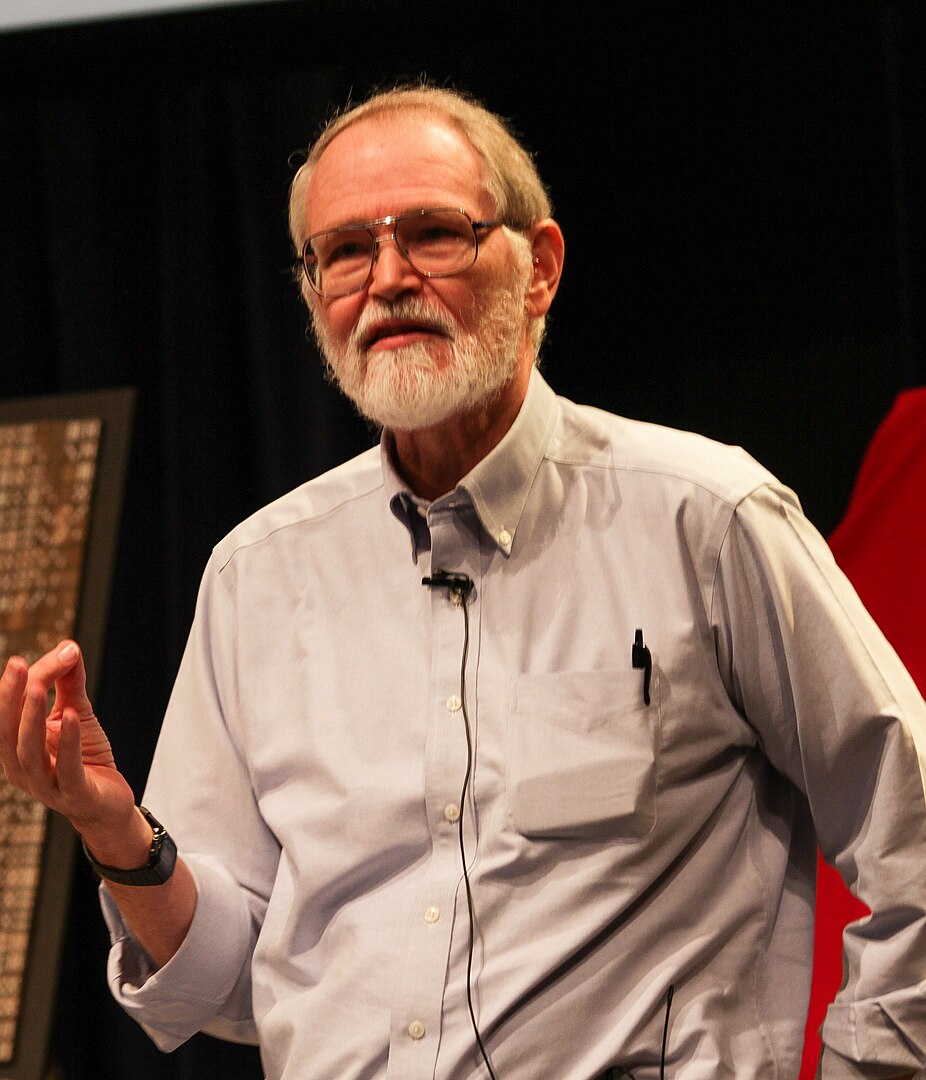
Everyone knows that debugging is twice as hard as writing a program in the first place. So if you’re as clever as you can be when you write it, how will you ever debug it?
— Brian Kernighan, The Elements of Programming Style, 2nd edition, chapter 2
What’s a bug?
What do you think?

What a bug is not (usually)
The program does something wrong.
The program almost always does exactly what you wrote it to do.
What a bug is
A program does something you don’t expect.
A bug is the gap between what the programmer thinks it does and what it actually does.
Debugging schema

- Narrow down the problem by crafting a small test case.
- Go to the source code relevant to the test.
- Trace step-by-step what your code really does (not what you think / hope / feel / guess / divine / intuit / reckon it does).
Don’t start hacking code! First understand the problem.
Once you see the discrepancy between actual code behavior and what you want the code to do, the fix will likely be readily apparent (at least in this class’s projects).
Goal of programming
Make the specification match the implementation
- Specification: what we want our program to do
- Implementation: what our program really does
- Easier said than done!
- During implementation, the incomplete implementation never matches the specification!
Diagram: Specification -> Programmer -> Implementation - (Green highlight entire spec, green highlight part of implementation, but mostly red.) - If I try to tackle the whole problem at once, my program is always wrong until I’ve finished coding the entire specification.
Hard way
Write the whole program, then check it all at once.

Seems easy, but quickly snowballs. - More code = more complicated combinations of behavior. - It’s exponential! - Think about debugging 3 “if statements” vs 10. - Bugs may be anywhere in the code.
- Think back to what Brian Kernighan said about debugging.
Easy/lazy way
Start with a narrower specification.

- Easier to get the implementation right.
- Gradually expand the specification.
- Keep the implementation correct at each step.
- Start with a “Hello, World!” program.
- Take a top-down approach to programming, not a bottom-up one.
- Be “constructively lazy.”
Divide-and-conquer
Break the problem down into smaller parts
- You can’t keep all code in your head always.
- Make it easier for yourself.
- Delay gratification
- Writing code fast feels good…
- …but debugging shoddy code feels horrible.
Diagram: Specification -> Programmer -> Implementation - (Divide and green highlight part of spec, divide and green highlight part of impl; then take one more piece of spec, green highlight corresponding impl, with a small part being red) - But if I divide up the specification, I can focus on getting a simpler, smaller (sub)program done, making debugging easier and it more likely to be correct once I move onto to another part of the specification.
Debugging is made simpler, since there are fewer (likely) things that could be wrong
Plan ahead
Invest time now to avoid debugging later.
- Breaking problems down takes time, experience, and making mistakes
- Premature generalization can waste work
- Don’t be afraid to refactor
- Easier to reorganize code after prototyping than to write from scratch (for large programs).
Instead of using cognitive energy to keep the whole program in your head and debug the whole program each time there is an issue, use cognitive energy to break the problem down into simpler parts and reason about how to combine them correctly.
Within each phase, try to break the problem down further yourself, and make each piece work on its own, then work with other pieces gradually.
Biggest takeaways: - Real definition of what a bug is - Revisit your code - Refactor to match specifications (usually easier to refactor than starting from scratch). - Take time to make good interfaces. - Less stressful if breaking down the problem first.
Wirth’s Stepwise Refinement
- Program Development by Stepwise Refinement
- One methodology for breaking down a problem into abstractions
3 virtues of a great programmer
Larry Wall’s three virtues of a great programmer:
- Laziness.
- Impatience.
- Hubris.